 AYWA
AYWAHow to export your data from Flo, and start fresh elsewhere
AYWA makes a period tracker, and it’s one of the options here. We say so wherever it comes up, and every fact about another app links to that company’s own page.
Short answer
Flo doesn’t have a self-serve export button. You ask Flo’s support for a copy: in Flo, tap your avatar, then Help, scroll down, tap Contact us and ask for your data. Flo can send a readable TXT file or a machine-readable JSON file.
- Using Anonymous Mode? Flo can’t send you an export until you register an account.
- Request it before deleting your account. Deletion is permanent.
- Apple Health isn’t a way out. Flo says it doesn’t send the periods you log in Flo to the Health app.
To start fresh in another app, you rarely need the file. Your last few period start dates are what a new app needs for its estimates, and you can copy them from Flo’s calendar in a minute.
Request your data from Flo
These are the steps from Flo’s help centre, checked on 19 October 2026:
- Open Flo and tap your avatar to open the menu.
- Tap Help.
- Scroll to the bottom and tap Contact us.
- Send a message asking for a copy of your data. Say which format you want: TXT to read it yourself, or JSON if you want a file another app or a technical person can work with. Flo says it usually sends the export to your email.
Flo doesn’t say how long a request takes, so ask early if you’re planning to delete your account.
If you use Anonymous Mode
Anonymous Mode removes your name and email from your Flo account. That’s the point of it, but it also means Flo has nowhere to send an export. Flo’s instructions: switch off Anonymous Mode, register an account (tap your avatar, then Profile, then Continue), and then contact support.
Flo also says that if you were never registered, or used Anonymous Mode, it can’t restore your data after you log out or change phones. If your records matter to you, copy your period dates down before you change anything (see below).
What you get, and what to do with it
| Format | What it is | Good for |
|---|---|---|
| TXT | Plain text you can read | Keeping your own archive, and looking back at old dates |
| JSON | Raw values, no charts or formatting | Importing into an app that supports it, or analysis in a spreadsheet tool |
Flo itself notes these files are raw data and may not be useful to show a doctor. Most period apps, including AYWA, can’t import a Flo file today. So treat the export as your archive: save it somewhere private, such as the Files app or a password-protected folder, and keep it.
Start fresh in another app in five minutes
A new app doesn’t need years of history to be useful. Period apps estimate your next period from the time between your period start dates. Flo’s own advice for its predictions is to add at least your last three cycles, ideally the last 12 months. So the dates are what you need.
- Open Flo’s calendar and write down the first day of each of your last six periods. More is better, but three is enough to begin. Add how many days each one lasted if you remember.
- Install the new app and choose cycle or period tracking.
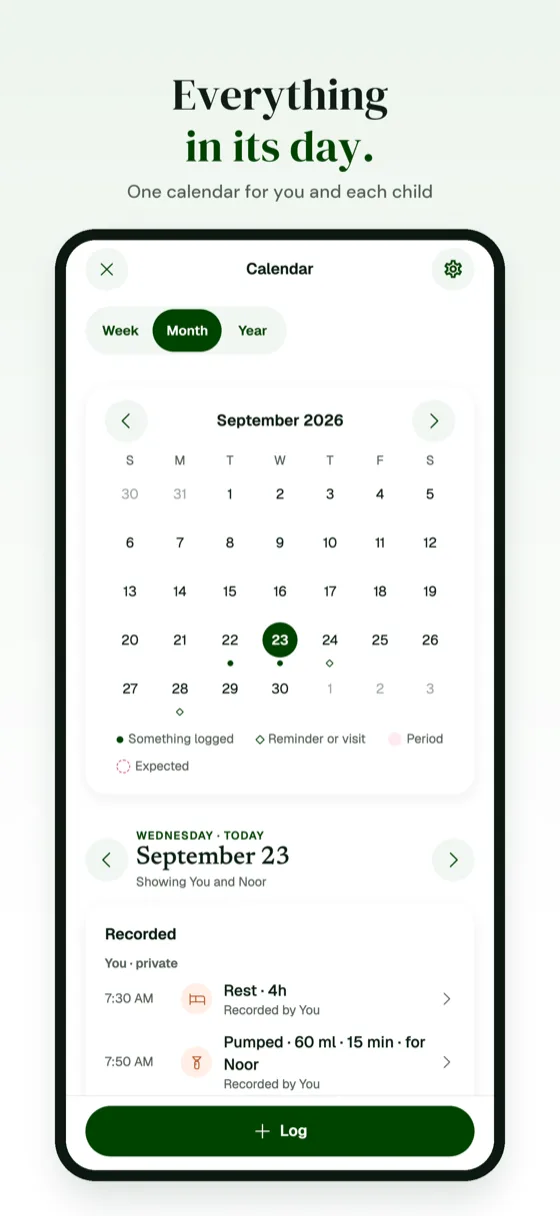
- Add those start dates on its calendar, oldest first.
- Check the estimate. A good app shows when your next period is likely and how sure it is, and gets steadier as you log more cycles.
Leave Flo cleanly
- Get your export first, or at least copy your dates. Deleting a Flo account is irreversible.
- Cancel Flo Premium if you have it. In-app subscriptions belong to your Apple Account, so cancel in iPhone Settings → your name → Subscriptions. Deleting the app or the account doesn’t stop billing.
- Delete your Flo account if you want your data removed: in Flo, tap your avatar, then Privacy settings, then Delete account.
- Then delete the app.
How other apps handle export
If you’re choosing your next app, it’s worth checking how easily you could leave it too.
| App | How you export | Format |
|---|---|---|
| Flo | Message support from the app; they email it. Registered accounts only. | TXT or JSON |
| Clue | In the app: Settings → Download my data. Clue emails a link (valid for 72 hours) to a password-protected file. | JSON in a .zip |
| Apple Health | Health app → your picture → Export All Health Data. | An export of all your Health data |
| AYWA (ours) | In the app: You → Privacy & your data → Export my records. The file goes straight to your iPhone’s share sheet; no request, no account. | JSON |
Questions people ask
Is there an export button in Flo?
No. Flo’s help centre says to request a copy through the app: tap your avatar, then Help, then Contact us, and ask for your data. Flo can provide TXT or JSON.
Can I export my Flo data in Anonymous Mode?
Not directly. Flo says you need to turn off Anonymous Mode and register an account first, because an anonymous account has no email to send the file to.
Can I move my Flo data to Apple Health?
Not your periods. Flo can read some data from the Health app, but Flo says periods logged in Flo aren’t sent to the Health app.
Can I import my Flo export into another app?
Usually not. Most period apps, including AYWA, can’t import a Flo file today. The quickest way to switch is to add your last few period start dates in the new app.
Will deleting my Flo account cancel Premium?
No. Cancel in iPhone Settings → your name → Subscriptions. The subscription belongs to your Apple Account, not your Flo account.
How many periods should I add to a new app?
At least your last three. Flo recommends three cycles or up to 12 months for its own predictions, and most apps get steadier the more cycles you add.
Sources
- Flo help centre: How do I get a copy of my data? Checked October 19, 2026.
- Flo help centre: How do I export my data in Anonymous mode? Checked October 19, 2026.
- Flo help centre: How can I delete my account? Checked October 19, 2026.
- Flo help centre: How to import data from the Health app to Flo (iOS) Checked October 19, 2026.
- Flo help centre: What’s included in the free version? (prediction advice) Checked October 19, 2026.
- Flo help centre: Trying Flo Premium (subscriptions tied to your Apple ID) Checked October 19, 2026.
- Clue help centre: How do I get a copy of my Clue data? Checked October 19, 2026.
- Apple iPhone User Guide: Share your health data Checked October 19, 2026.
- Apple Support: Cancel a subscription from Apple Checked October 19, 2026.
- AYWA on the App Store Checked October 19, 2026.
Related guides
General information, not medical advice. Period and fertility estimates in any app are estimates, and no period tracker is a form of contraception. Prices and features change; we recheck the facts on this page and update the date above. Spotted something out of date? Email support@aywa.site.